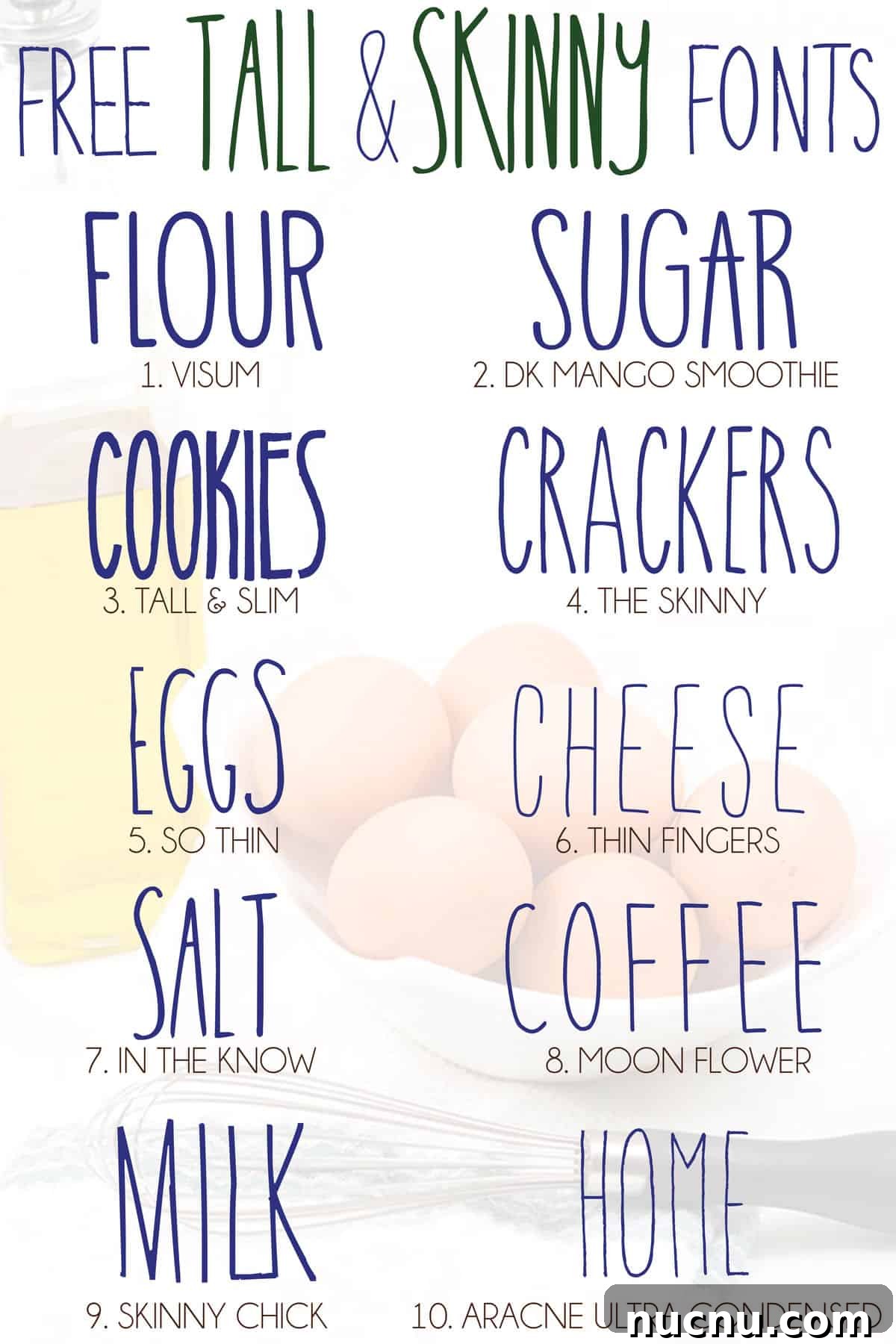
Download these 10 tall and skinny fonts for free and use them to create unique projects in Cricut Design Space or any other program you prefer.
Those holiday ornaments decorated with words like joy, noel, and peace—or the neatly labeled kitchen canisters—often use tall, narrow fonts to achieve a clean, elegant look. If you’re planning a similar project, finding the right tall and skinny font can make a big difference in the final result.
There are many slender fonts to choose from, so pick one that matches the style you want. Some are modern and minimal, others have a slightly playful or hand-drawn feel. The list below focuses on free options you can download and test in your projects.
Where to download fonts safely
Not all font sites are equally safe. I once downloaded from an untrustworthy source and ended up with a serious virus that forced me to reset my computer. To avoid that risk, use reputable font libraries and always scan downloads with your antivirus software.
Dafont.com is one site I’ve used for years without any issues. It hosts a wide selection of fonts and clearly indicates each font’s license and usage terms. Still, always read the designer’s notes so you understand whether the font is free for personal use only or if commercial licensing is required.
How to use downloaded fonts in Cricut Design Space
Installing and using custom fonts in Cricut Design Space is straightforward. After downloading and installing a font on your computer, restart Design Space and the font should appear in your font list under “System.” If you prefer a visual guide, there are many step-by-step tutorials and videos showing the process.
Once you know the steps, adding new fonts becomes quick and simple. This lets you expand your design options without paying for every font you want to test. Keep in mind, however, that many free fonts are labeled for personal use only—if you plan to sell items using a font, check the license and purchase a commercial license from the creator when required.
Designers put time and skill into creating quality fonts. If you use a font to make products for sale, supporting the designer by buying a commercial license is fair and usually affordable—often a small one-time fee.
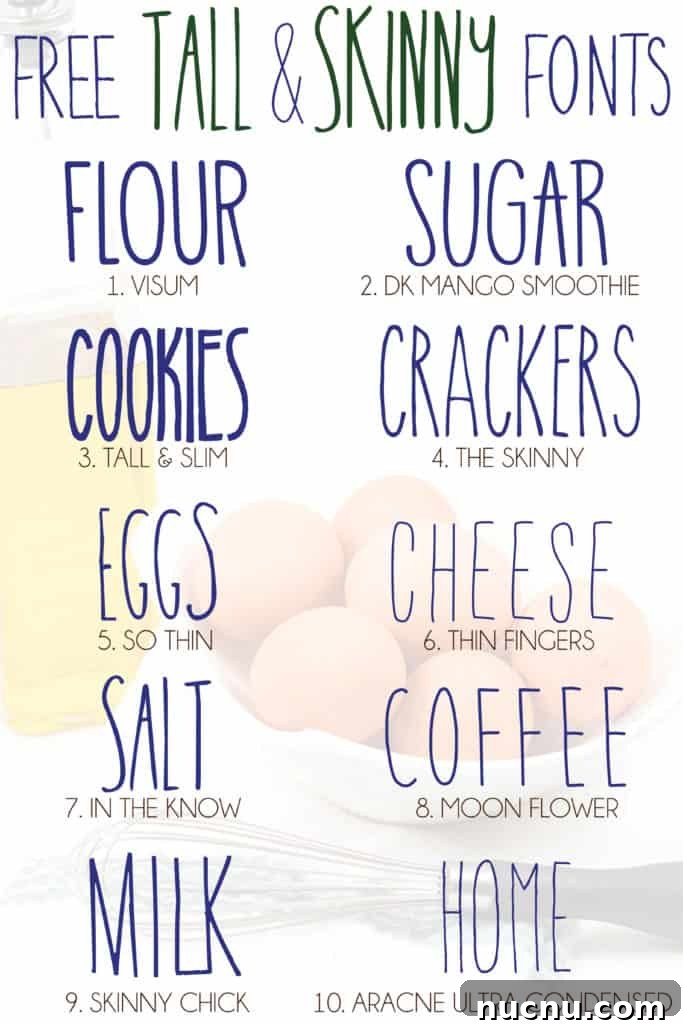
Here are 10 tall and skinny fonts you can download and try:
1. VISUM 2. DK Mango Smoothie 3. Tall & Slim
4. The Skinny 5. So Thin 6. Thin Fingers 7. In the Know
8. Moon Flower 9. Skinny Chick 10. Aracne Ultra Condensed
Tips for choosing the right tall and skinny font
- Consider readability: very thin strokes can be hard to read at small sizes or when cut with certain machines. Test a font at the size you plan to use.
- Check stroke contrast: Fonts with consistent, uniform strokes work well for vinyl cutting and engraving. Highly decorative thin fonts may lose detail.
- Mind spacing: Narrow fonts can appear cramped when letters sit too close together—adjust letter spacing or kerning in your software if needed.
- Match style to project: A formal, narrow serif can suit elegant ornaments, while a playful condensed sans might be better for casual labels or craft projects.
Want more free fonts?
If you enjoyed this selection, explore additional themed font collections for more inspiration. There are curated lists for farmhouse styles, decorative fonts with tails, and more elegant or script-type options—many available for free for personal use. Always confirm licensing before using fonts in commercial products.